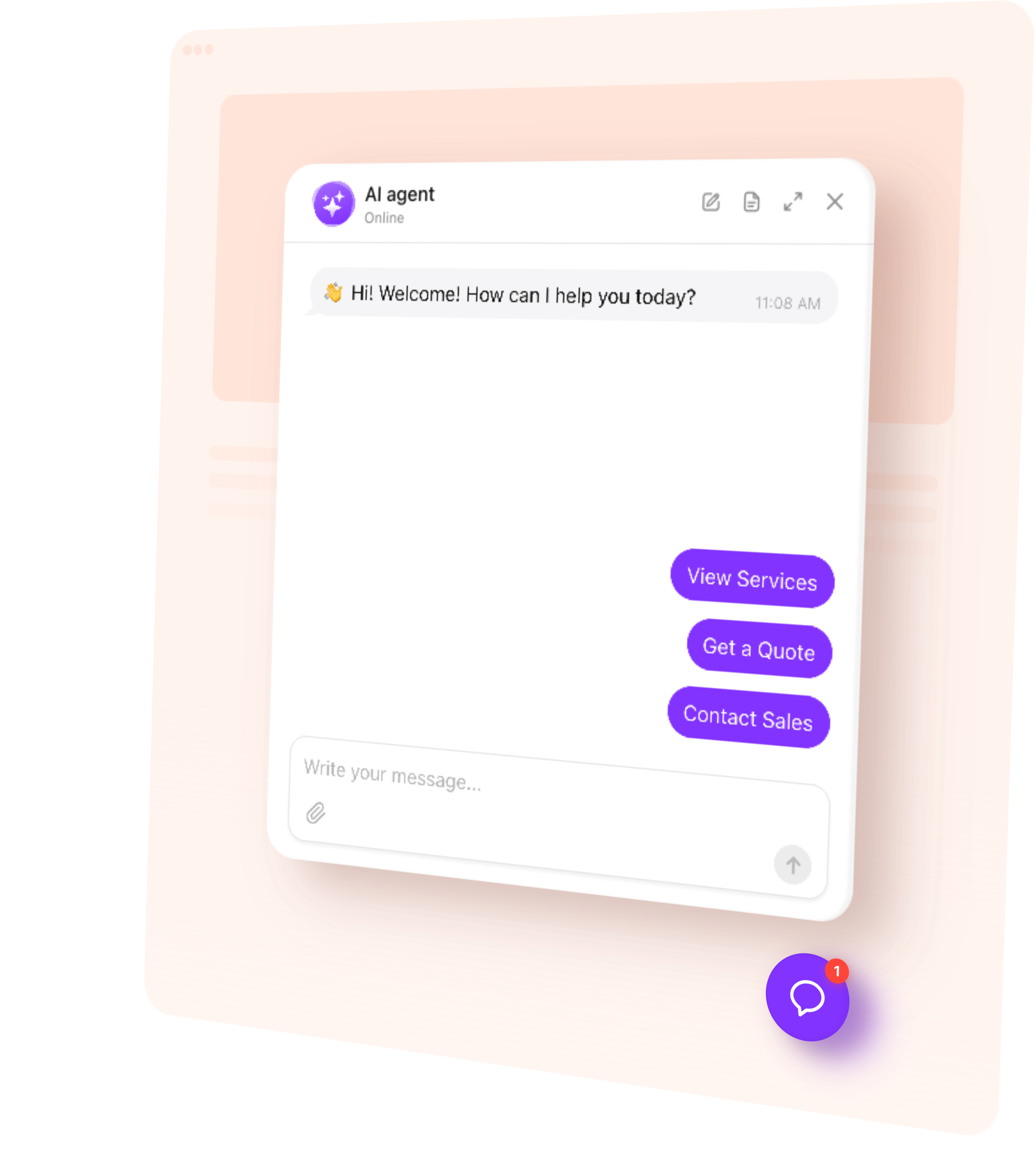
AI Chatbot answers shopping questions, helps customers compare products, and collects inquiries 24/7. Train it on your content and customize it for your business.
Make it easier for customers to get answers before placing an order.
Explain products — Clarify features, sizing, compatibility, and intended uses.
Resolve questions — Help shoppers understand delivery, returns, and store policies.
Capture inquiries — Collect contact details for quotes or personal product advice.
Stay available — Support customers when your team is busy or offline.
Try AI Chatbot on Your PrestaShop Store for Free
Enter your domain → Customize your chatbot → Add it to your website.
1. Enter your website
2. Create AI agent
3. Add to website
AI Chatbot Features for PrestaShop
1.
Automatic setup. Enter your public store URL. The chatbot uses accessible content to build its initial knowledge and suggest a role and tone of voice.
2.
Answers from your content. Use product pages, buying guides, policies, uploaded files, and custom Q&A to answer customer questions.
3.
Conversation rules. Define how the chatbot compares options, presents your store, and responds when someone needs help from your team.
4.
Flexible appearance. Match the chatbot’s colors, name, and avatar to your storefront. Add a greeting and suggested questions that reflect what your customers ask.
5.
Multilingual conversations. Let shoppers ask questions and receive answers in their language.
Train Your AI Chatbot on Store Content
Give the chatbot the product and policy information customers need. Add public PrestaShop page URLs, upload detailed guides, and write custom Q&A for questions your store pages do not cover.
Product pages — Published features, materials, dimensions, and intended uses.
Size and buying guides — How to compare options and choose a suitable product.
Delivery and returns pages — Shipping terms, return conditions, and where to request help.
Store and contact pages — Business details, locations, opening hours, and contact options.
Files and custom Q&A — Compatibility details, care instructions, and common buying questions.
Add up to 200 web page URLs. Prioritize useful product pages and guides if your catalog is larger. Use Retrain after updating a source page, and add new URLs when needed. Adding your store URL does not create a live connection to PrestaShop stock, prices, or product combinations.
Give shoppers a practical next step after answering their questions.
Guide product selection — Help customers compare options using the information in your knowledge base. Offer a relevant product link so they can review the item, select a combination, and continue shopping in PrestaShop.
Collect leads — Ask for a name, email, or phone number when someone needs product advice, a quote, or information about a larger purchase. Save their details with the conversation for follow-up.
Book a consultation — Connect Calendly or Cal.com so customers can choose a time for a product consultation or service appointment directly in the chat.
Offer human contact — Provide email, phone, or WhatsApp contact when your team needs to check an order or answer a question personally.
Follow up during a visit — Send a message after a period of inactivity to ask whether the shopper needs more information or help choosing an option.
Match your PrestaShop theme with custom colors, a recognizable name and avatar, and a greeting and suggested questions such as “Which size should I choose?” or “What are the delivery options?” Choose a floating chat bubble for help while browsing or an embedded chat window within a store page. Preview the design and check that it fits alongside your navigation, cart controls, and promotional banners on desktop and mobile.
Track AI Chatbot Conversations and Leads
Understand what customers need before they buy or contact your store.
Conversations — Read chat histories and summaries to see which questions shoppers ask.
Leads — Review submitted contact details alongside the inquiry for more informed follow-up.
Analytics — Track chat sessions, messages, and collected leads in the dashboard.
Use knowledge gaps to find missing product details or unclear policies, then improve the information your chatbot can use.
How to Add an AI Chatbot to PrestaShop
Follow this quick guide to add an embedded window or a floating chatbot. The setup uses the HTML Box module linked in our installation guide. If you need help, our support team offers free installation.
Embed the chatbot on a content page
1.
In the AI Chatbot editor, choose the embedded chat window layout and customize your chatbot.
2.
Copy the installation code from your AI Chatbot dashboard. It contains a script part and a container part.
3.
Download the HTML Box module for your PrestaShop version. Install it through Modules → Module Manager → Upload a module.
4.
Configure HTML Box, select Footer, and paste the installation code’s script line in source view. Save.
5.
Open the target page under Design → Pages. In the content’s source view, insert the widget’s container line where the chat should appear.
6.
Save and test the live page using the embedded chat window layout.
Add a floating chatbot across the store
1.
Choose a floating layout in the AI Chatbot editor and customize your widget.
2.
Copy the automatically generated embed code from the dashboard.
3.
In HTML Box, select Footer and paste the complete installation code in source view.
4.
Save and check the storefront pages where the footer loads.
Tip: Placement depends on your theme and module compatibility. Our support team can help if the editor changes the code or the chat does not appear.
One widget, one snippet. Squarespace, Wix, WordPress, Webflow, Shopify, GoDaddy, Elementor, or plain HTML — pick another platform to see how it installs there.
You manage its knowledge, appearance, rules, and conversations in the dashboard. The PrestaShop module used for installation places the widget on your storefront. It does not automatically connect the chatbot to your catalog database, orders, or customer accounts.
Yes. You can use AI Chatbot for free. The free plan includes one chatbot, 50 visitor messages per month, and 200 monthly widget views. There is no time limit or credit card required. Test common product and policy questions before adding the chatbot to your store.
It can explain sizes, colors, materials, and other options included in the knowledge you provide. It does not automatically receive the customer’s selected combination, live availability, cart contents, or customer-group price. Direct shoppers to the product page to confirm the final option and price.
The standard setup does not access private PrestaShop order records, approve returns, or issue refunds. It can explain your published policies and direct customers to their account, a return request page, or your support team for order-specific help.
Yes. The chatbot can converse in multiple languages. Supply clear product and policy information for the markets you serve, then test common questions in those languages. Its answers do not automatically reflect the currency, tax rules, or customer group selected in PrestaShop.
Check the installation in each intended shop rather than assuming it applies everywhere. Placement depends on the module configuration and theme used by that shop. A shared chatbot can serve stores with the same offer and policies; consider separate chatbots when their information differs, within your plan’s limits.