
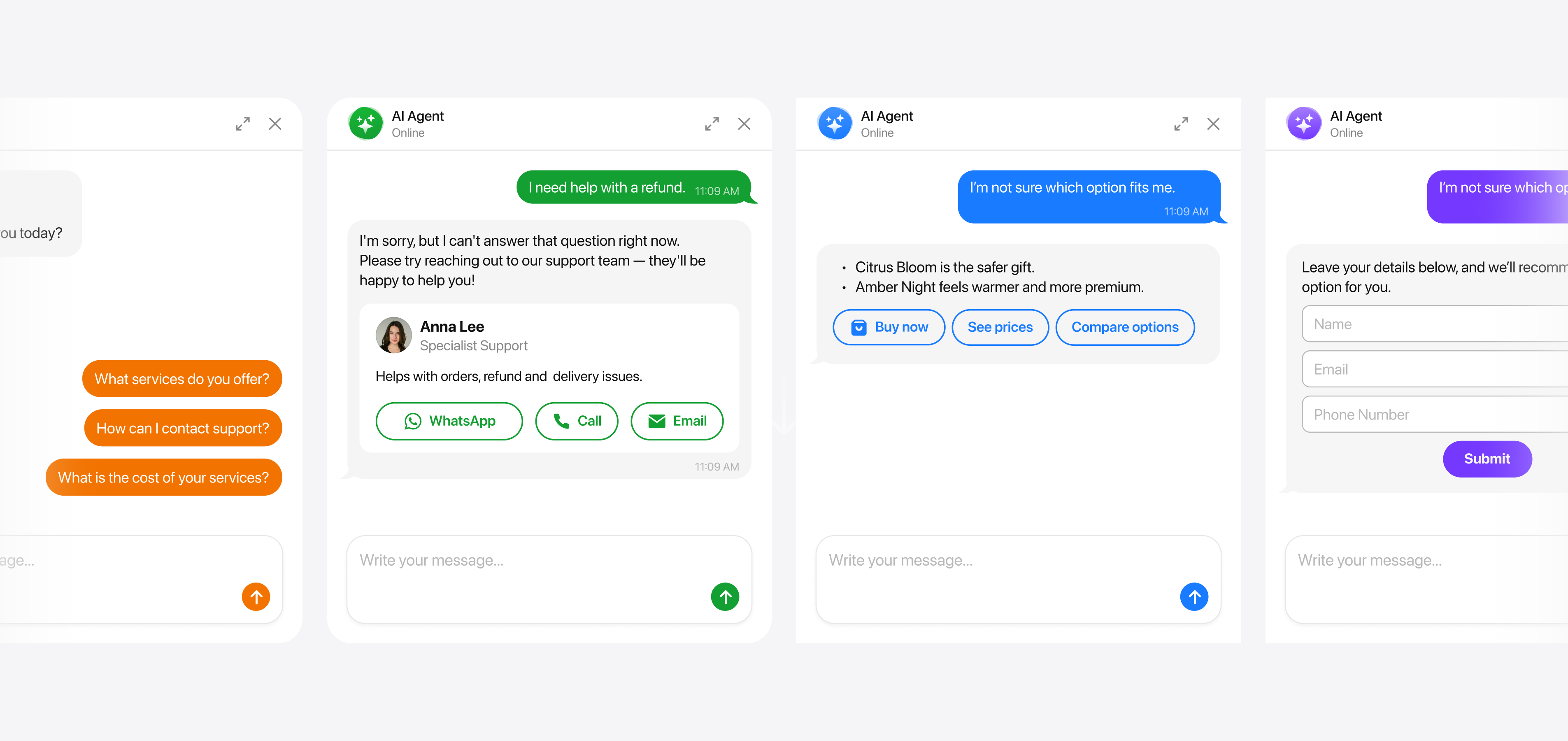
Four things the agent does besides answering
Answering questions is the baseline. Skills are the things the agent does on top of that, when the conversation calls for it.
There are four. You turn on the ones you want and describe, in ordinary sentences, when they should apply — the agent works out the moment itself.
Follow-up Message is on from the start. The rest are yours to enable.
Collect Contacts
Asks the visitor for a way to reach them, and saves it with the conversation.
You choose when it happens: after the agent has answered once, before the chat begins, or as a condition before it answers at all.
You choose what it asks for — name, email, phone, a consent checkbox, in any combination. The phone field detects the country. You can write your own wording for the request, your own confirmation message, and your own consent text.
One per widget.
Action Buttons
Puts a button in the conversation when it fits. You describe the situation in words; the agent decides when it has arrived.
The common ones: WhatsApp, Email, Call, Instagram, Telegram, Messenger.
The rest: Get Directions, Open in Google Maps, Save Contact, SMS, Snapchat, Viber, WeChat, X, KakaoTalk, Line, and a custom button with your own label, link and icon.
Save Contact hands over a full card — name, job title, company, phone, email, website, address, photo — that the visitor can save to their phone. The custom button is how you send someone to an external booking page, a quote form or a review page.
You can have several of these.
Contact a Human
When someone wants a person rather than a bot, the agent offers one and shows your contact card: photo, name, position, a short line about you, and buttons to reach you.
Be clear on what happens next: the conversation is not handed to a queue. The visitor taps WhatsApp or Call and carries on with you directly, where you already work.
You choose the triggers, and each one is separate:
- The visitor asks for a human
- The agent could not answer
- Certain words come up
- The visitor marks an answer as unhelpful
- The visitor has gone quiet for a set time
- Any other situation you describe in your own words
Follow-up Message
If a visitor stops replying mid-conversation, the agent sends one more message after a delay you set.
It writes that message from the context of the conversation and in the same language, so it reads like a continuation rather than a canned nudge.
What skills cannot do
Worth knowing before you plan around it:
- Booking happens through a button to your calendar page, not inside the chat
- There is no shared inbox and no live handover — the contact card is the route to a person
- The agent does not make changes in your other systems during a conversation
For anything beyond that, rules are the lever. You describe the behaviour you want in plain sentences and the agent applies it.