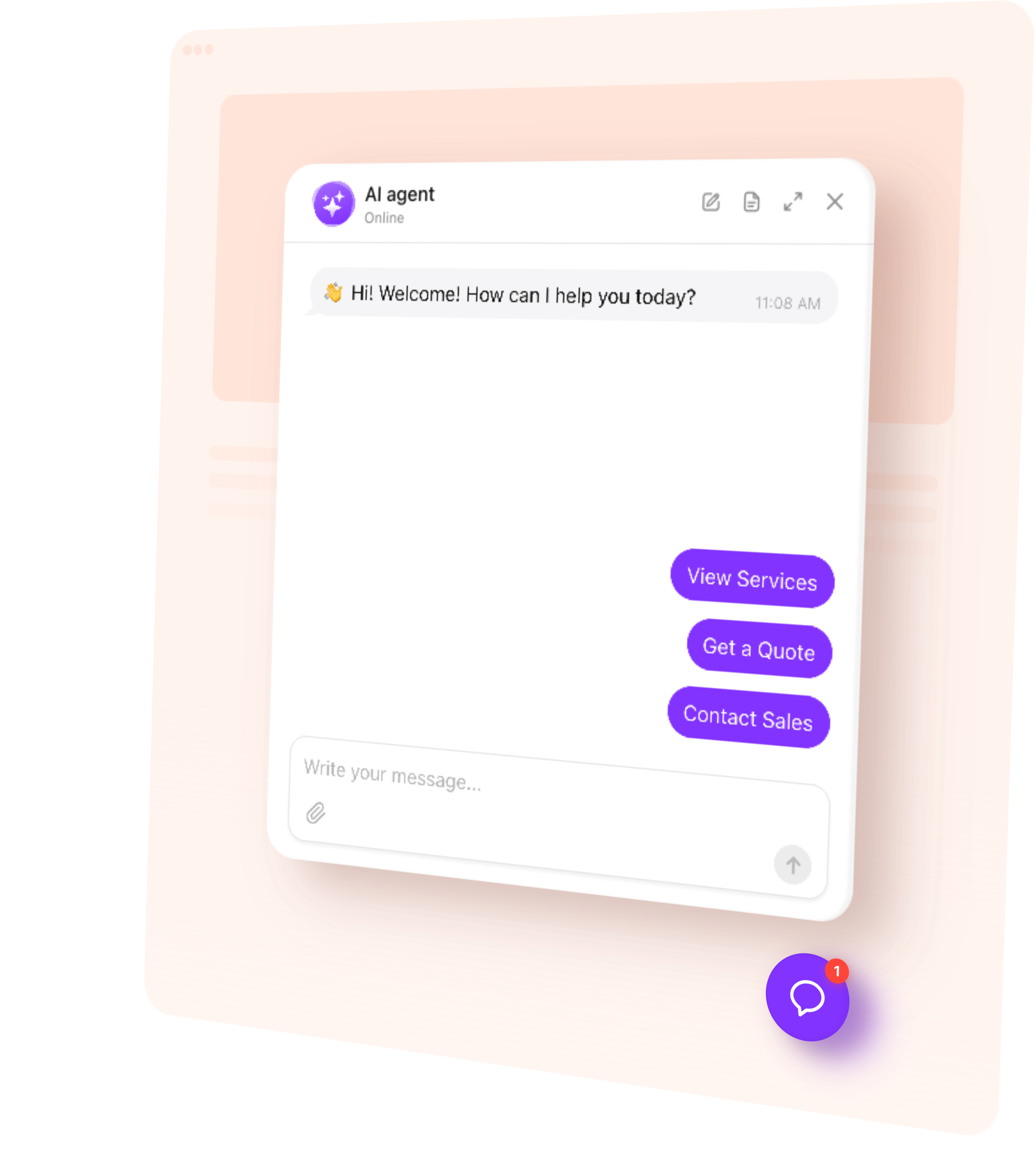
AI Chatbot answers visitor questions, collects leads, and offers the next step on your Joomla website – 24/7. Help people understand your services and guide them towards action.
Give people a simple way to ask about your business without searching through multiple pages.
Explain your services — Answer questions about options, pricing, and requirements.
Guide visitors — Point people to relevant information and the next step.
Collect inquiries — Capture contact details for quotes, consultations, and follow-up.
Support visitors 24/7 — Keep routine questions moving while your team is offline.
Try AI Chatbot on Your Joomla Website for Free
Enter your domain → Customize your chatbot → Add it to your website.
1. Enter your website
2. Create AI agent
3. Add to website
AI Chatbot Features for Joomla
1.
Automatic setup. Enter your public website URL. The chatbot uses accessible content to build its initial knowledge and suggest a role and tone of voice.
2.
Answers from your content. Use website pages, uploaded files, and custom Q&A to explain your business in conversation.
3.
Conversation rules. Define how the chatbot represents your business, handles questions, and responds when someone needs personal assistance.
4.
Flexible appearance. Match the chatbot’s colors, name, and avatar to your website. Add a greeting and suggested questions that fit your audience.
5.
Multilingual conversations. Let visitors ask questions and receive answers in their language, including on multilingual Joomla websites.
Train Your AI Chatbot on Website Content
Turn your published information into answers visitors can use. Add public Joomla article URLs, relevant pages from other websites, files, and custom Q&A.
Service and pricing pages — Available services, published prices, and how to request a quote.
Help articles and FAQs — Common questions, instructions, and troubleshooting guidance.
Product information — Published specifications, uses, and differences between options.
About and contact pages — Your business, locations, opening hours, and contact options.
Files and custom Q&A — Detailed guidance and answers missing from your website.
Add up to 200 web page URLs. Choose the pages that contain useful answers, including individual articles within Joomla categories. Use Retrain after editing a source page, and add new URLs when you publish relevant content.
Help visitors act on the information they receive.
Capture an inquiry — Collect a name, email, or phone number when someone wants a quote or a reply from your team. Keep those details with the conversation so you can follow up with context.
Link to the right page — Offer an action button leading to a relevant Joomla article, service page, contact form, or registration page.
Book an appointment — Connect Calendly or Cal.com so visitors can choose an available time directly in the chat. For another booking service, provide a link to its booking page.
Offer human contact — Share email, phone, or WhatsApp contact when a visitor needs to speak with your team.
Follow up during the conversation — Send a message after a period of inactivity to ask whether the visitor needs more information or help taking the next step.
Match your Joomla template with custom colors, a recognizable name and avatar, and a greeting and suggested questions that introduce what visitors can ask. Choose a floating chat bubble for ongoing access to help or an embedded chat window within a page section. Preview your changes and check that the chat fits comfortably alongside your navigation and other website elements on desktop and mobile.
Track AI Chatbot Conversations and Leads
Understand what people need before they contact your business.
Conversations — Review chat histories and summaries to see what visitors ask.
Leads — Find submitted contact details alongside the conversation that prompted the inquiry.
Analytics — Track chat sessions, messages, and collected leads to understand how visitors use your chatbot.
Review knowledge gaps to find unanswered questions, then add the missing information to your chatbot.
How to Add an AI Chatbot to Joomla
Follow this quick guide to install the chatbot on selected pages or through your shared template. If you need help, our support team offers free installation.
Add the chatbot to selected pages
1.
Create your chatbot in the editor and copy the installation code from the dashboard.
2.
Add its script line through your template’s custom code field or the template method in our installation guide.
3.
Open Content → Site Modules, create a Custom module, and paste the widget’s container code in source mode.
4.
Choose a template position and set Menu Assignment to the menu items where the chatbot should appear.
5.
Hide the module title, set its status to Published, save, and test the selected pages.
For an embedded chat window inside an article, place the container code in that article’s source instead of a module.
Add the chatbot through a shared template
For a floating chatbot, paste the full installation code into your template’s custom code field before the closing body tag, where available. Alternatively, follow our guide to add it to the active template file. The chatbot will load on pages using that template.
Tip: Editor filters and template settings can affect embedded code. If the chatbot does not appear, our support team can check the setup and help you choose the right installation method.
One widget, one snippet. Squarespace, Wix, WordPress, Webflow, Shopify, GoDaddy, Elementor, or plain HTML — pick another platform to see how it installs there.
No dedicated chatbot extension is required for this setup. You create and manage the chatbot in the intuitive editor, then add its installation code to Joomla. A Custom module, article, or template can provide the placement, depending on the layout you choose.
Yes, AI Chatbot offers a free plan that includes one chatbot, 50 visitor messages per month, and 200 monthly widget views, no credit card required. Build your chatbot, test its answers, and then add it to your Joomla website.
Yes. When using a module, choose the relevant menu items under Menu Assignment and make sure the selected template position is present on those pages. You can also embed the chat window directly in a specific article. Avoid adding the same chatbot twice on a page through overlapping installation methods.
Automatic website training relies on accessible content. Joomla login requirements and access levels do not automatically carry over to the chatbot’s knowledge. Add only information suitable for its intended audience; the chatbot should not be treated as a way to enforce Joomla permissions for individual answers.
Yes. The chatbot can converse in multiple languages. Provide clear information for the audiences you serve and test typical questions in each relevant language. If you use language-specific module assignments, check that the chatbot appears on the intended language versions of your pages.
Joomla’s editor or text filters may remove parts of embedded code. Ask your administrator or our support team to check the editor settings and use an appropriate installation method. Loading the script through the template and placing the widget container in the content can help keep the setup manageable.